
Ad Optimizer now supports site restrictions for Sponsored Products (SP) and Sponsored Brands (SB) campaigns, giving advertisers with a B2B focus the option to run campaigns exclusively on Amazon Business — and tailor their ads specifically for B2B shoppers.
What's new
Campaign creation (SP & SB)
The site restriction can only be set during campaign creation — either via the creation flows in Campaign Manager or via bulk import.
Campaign Manager
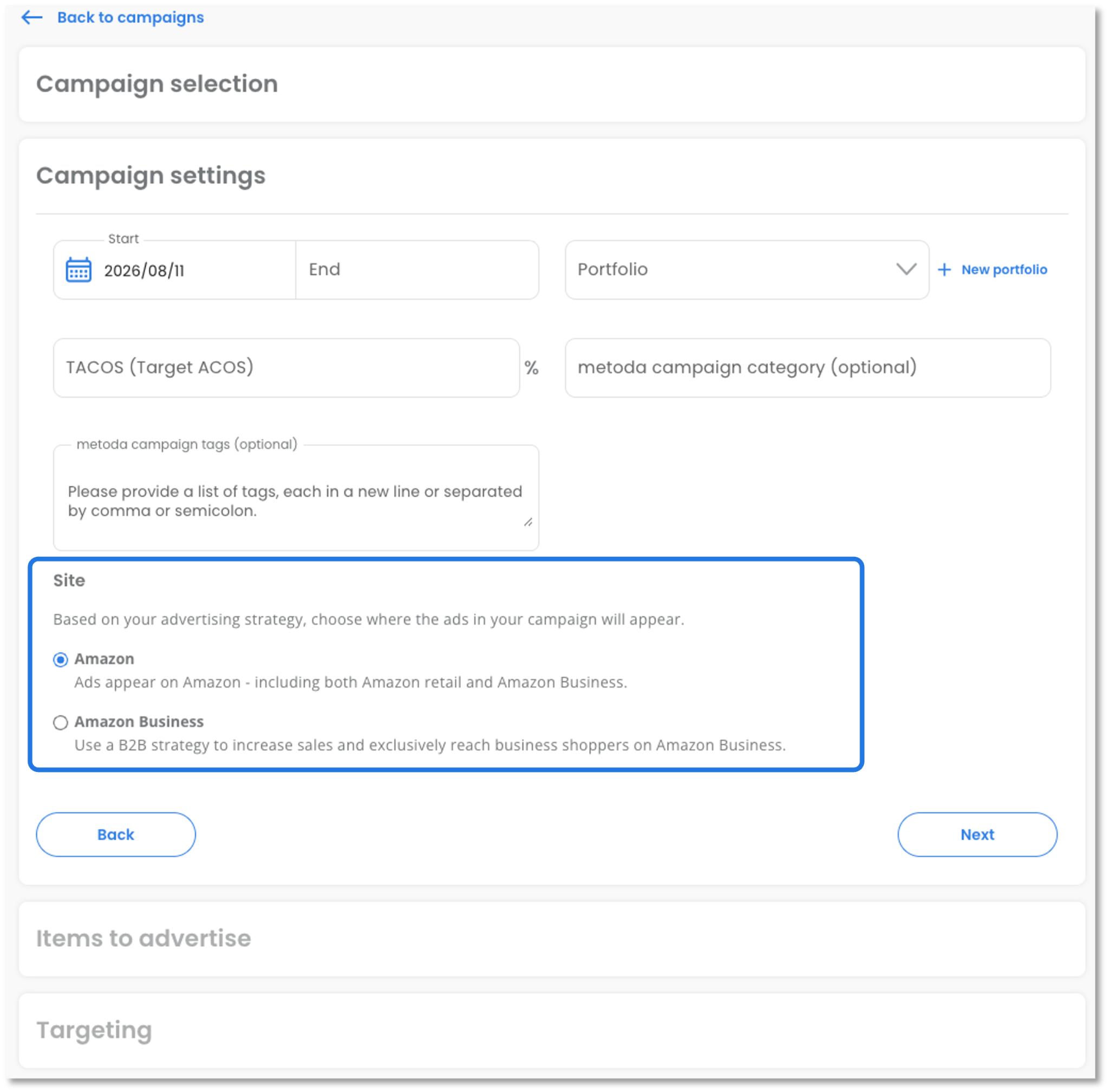
A new Site option is available in the Campaign settings section of the SP and SB creation flows. Choose between Amazon (ads appear across all of Amazon, including Amazon Business) or Amazon Business (ads appear on Amazon Business only). This setting cannot be changed after the campaign is created.
Bulk import*
The SP and SB tabs in the bulk import template now include a new Site column. This is a mandatory setting during campaign creation — if left empty, it defaults to “Amazon”.
Campaign management
New table column
A new “Site” column is shown by default in the Campaigns table and can be hidden. The column also supports sorting.Filter "Amazon Business"
A new Amazon Business filter is available before Bid Adjustments, with two options: “Site restriction” (filters SP/SB campaigns with or without site restriction set to “Amazon Business”) and “Bid Adjustment” (filters SP campaigns with or without a Bid Adjustment for Placement "Amazon Business").Export as shown
The “Site” information is included in Export as shown as a separate column.
Feature availability
Site restrictions are only available in Amazon Business Marketplaces:
Europe: DE, ES, FR, GB, IT
Asia Pacific: AU, IN, JP
North America: CA, MX, US
* If you use bulk import, download the updated bulk import template “Bid Adjustments” before your next import — the template has been updated to include the new column “Site”.