
Ad Optimizer now supports the Amazon Business Placement Bid Adjustment for Sponsored Products. This feature allows you to increase bids specifically for Amazon's B2B store, where business customers tend to convert at higher rates and order in larger volumes than B2C shoppers.
What's new
The Amazon Business Bid Adjustment can be configured during campaign creation and updates — either via the Bid Adjustment Settings in the Campaign Manager* or via bulk import. It is applied on top of any other active Bid Adjustments across all placements on Amazon Business.
Campaign Manager
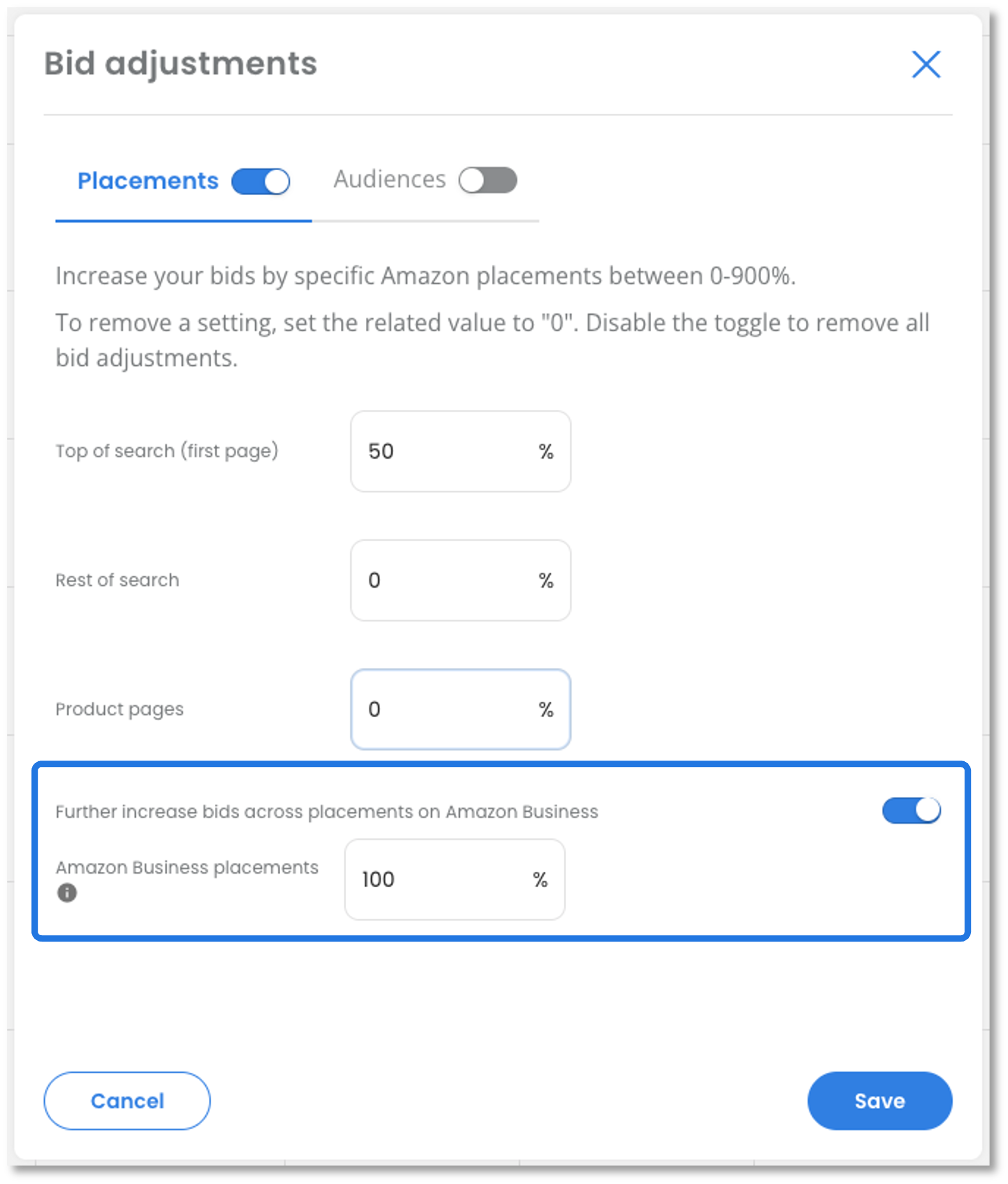
A new toggle in the Bid Adjustment Settings allows you to enable or disable the Bid Adjustment for the Amazon Business Placement. A value between 0–900% can be set, consistent with the other Placement options.
Bulk import**
The “SP campaigns w bid adjustments” tab in the bulk import file now contains a new column "Amazon Business" where a value between 0–900 can be entered.
Feature availability
Amazon Business settings are only supported in Amazon Business Marketplaces:
Europe: DE, ES, FR, GB, IT
Asia Pacific: AU, IN, JP
North America: CA, MX, US
Coming soon
We are already working on extending Ad Optimizer's Amazon Business support further:
Amazon Business filter in Campaign Insights v2
A new filter option in Campaign Insights will allow you to monitor the performance of campaigns with Amazon Business settings.
* Bid Adjustments can be set during campaign creation or by editing a campaign inline in the Campaigns table. Clicking the Bid Adjustments icon opens the modal where the settings can be configured.
** If you use bulk import, download the updated bulk import template “Bid Adjustments” before your next import — the template has been updated to include the new setting for “Amazon Business”.
